
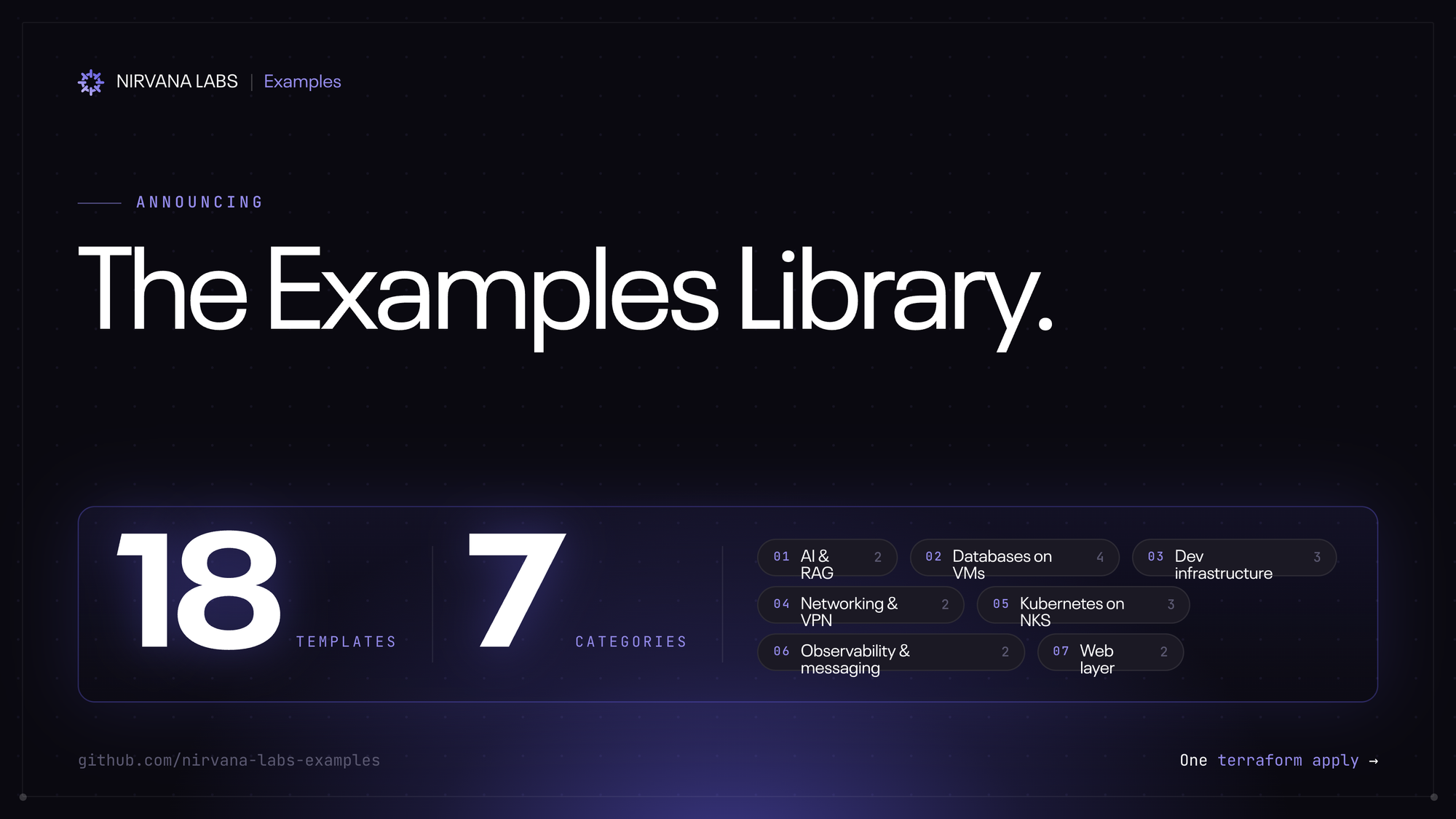
TL;DR: 18 ready-to-clone Terraform templates for running databases, AI, Kubernetes, dev infra, observability, networking, and web workloads on Nirvana. Browse, fork, terraform apply. → github.com/nirvana-labs-examples
Today we're opening the door on something the team's been building quietly for a while: a library of production-shaped examples for everything from Postgres to LangChain. Each one is a public GitHub template — fork it, change the inputs, run it.
What's in it
A scan of the catalog:
- Databases — Postgres, MongoDB (single-node and a 3-node replica set), Redis (cluster, plus a version on NKS), ClickHouse
- AI / RAG — a self-hosted LangChain + LangGraph stack on a single Nirvana VM, plus a customer-support agent built on the same pieces
- Kubernetes — ArgoCD on NKS for GitOps deployments, MongoDB on NKS, Redis on NKS
- Dev infrastructure — GitHub Actions self-hosted runners, GitLab CE, HashiCorp Vault
- Observability + messaging — Prometheus + Grafana, RabbitMQ
- Networking — Tailscale subnet router, WireGuard VPN server
- Web — Caddy with automatic HTTPS, Node.js + PM2 + Nginx
Browse them all: github.com/nirvana-labs-examples
Why a library, and not just more docs
Documentation tells you what's possible. Templates show you what works.
Every example here is a real deployment pattern — the configuration we'd use if we were standing it up ourselves. Terraform handles the infrastructure; Ansible or Helm handles the config depending on the example. Everything is templated so you can run it as-is or fork it for your own setup.
The cloud-specific bits — Nirvana VMs, ABS volumes, networking — live inside each template. The application layer doesn't change. If you've stood any of these tools up on EKS or GKE before, the manifests you wrote there largely work here too.
How to use it
Each repo is a GitHub template — one click gives you your own copy. From there:
bash
git clone <your-fork>
cd <your-fork>
terraform init
terraform apply
Specifics for each example (variables, prerequisites, what to expect) live in the repo's README.
What's next
This is part of a longer campaign. Up next: a deep dive on the marquee NKS example — an end-to-end application running on the cluster, persistent volumes on ABS, ingress, the works. After that, category-by-category spotlights over the coming weeks.
Star the org to follow along: → github.com/nirvana-labs-examples
If you try something and hit a wall, open an issue. Feedback now shapes what we build next.
About Nirvana Labs
Nirvana Labs is a high-performance storage cloud purpose built for blockchain, AI and databases i.e. the most demanding, real-time, stateful workloads. Accelerated Block Storage (ABS) offers 20K baseline IOPS included, no over provisioning. Nirvana Kubernetes Service (NKS) with Karpenter auto-scaling, high clock-speed compute and private networking. Backed by Jump Trading, Crucible, etc with 50+ customers live in production today.
Learn more at Nirvana Labs
Nirvana Cloud | Pricing | Blog | Docs | Changelog | LinkedIn |Twitter | Telegram| YouTube
Related Posts
Why Database p99 Latency Spikes During Backups and Checkpoints
Diagnose database latency during maintenance with a controlled mixed-load test. Separate storage contention, checkpoint work, CPU pressure and client queueing.
Kubernetes Volume Snapshots vs Backups: What Your Database Needs
Compare snapshots and database backups by consistency, failure domain, retention and restore results. Includes a practical Kubernetes recovery acceptance test.
How to Share Persistent State Across Multiple AI Agents
Separate workspaces, checkpoints and shared records so multiple agents can coordinate safely, recover unfinished work and avoid overwriting each other.
Powering AI, blockchain, and
databases
