Product Update: Organizations, Projects, Member Management, Audit Logs, and SSO
 Akram Hussein
Enterprise-grade identity, access control, and visibility for your cloud infrastructure.
TL;DR
Nirvana just shipped enterprise-ready dashboard features to make it easier for teams to run infrastructure together:
- Organizations → central ownership for all resources
- Projects → organize workloads by team/env/use case
- Members → invite + manage team access
- Audit Logs → full visibility into every action
- Org-level API keys → persistent, secure, with expiry + IP controls
- SSO (SAML) → enterprise login + domain restrictions
- Improved navigation → faster switching and better structure
Nirvana is moving from individual usage → team + enterprise-ready cloud, with proper access control, security, and visibility baked in.
We’ve shipped a major update to the Nirvana Labs Dashboard focused on one thing: giving teams the controls they need to run production infrastructure together. Organizations are now the foundation of the dashboard, and every resource, key, and action ties back to your org.
1. Organizations
Organizations are now the top-level unit of ownership in the Nirvana Labs Dashboard. Resource such as API keys, Projects, Members, Audit Logs directly belong to an organization.
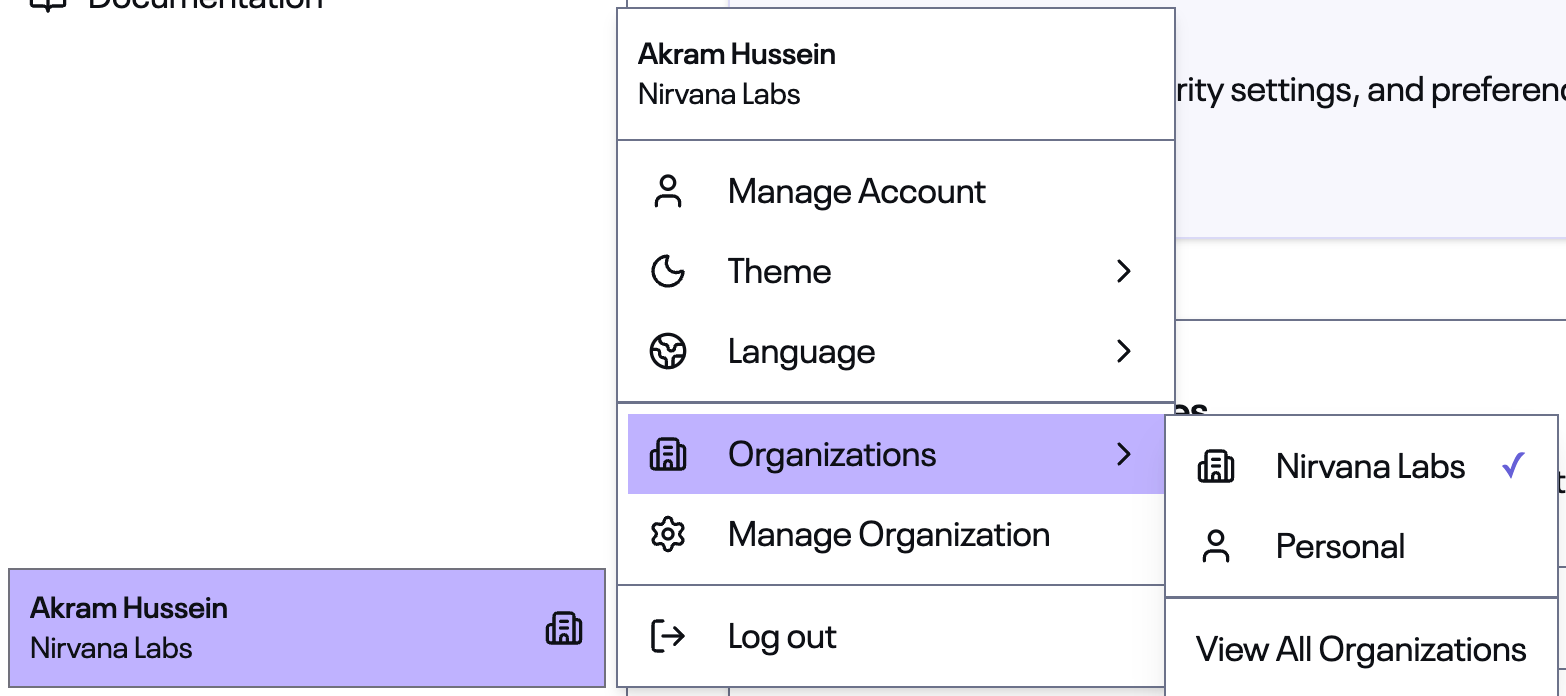
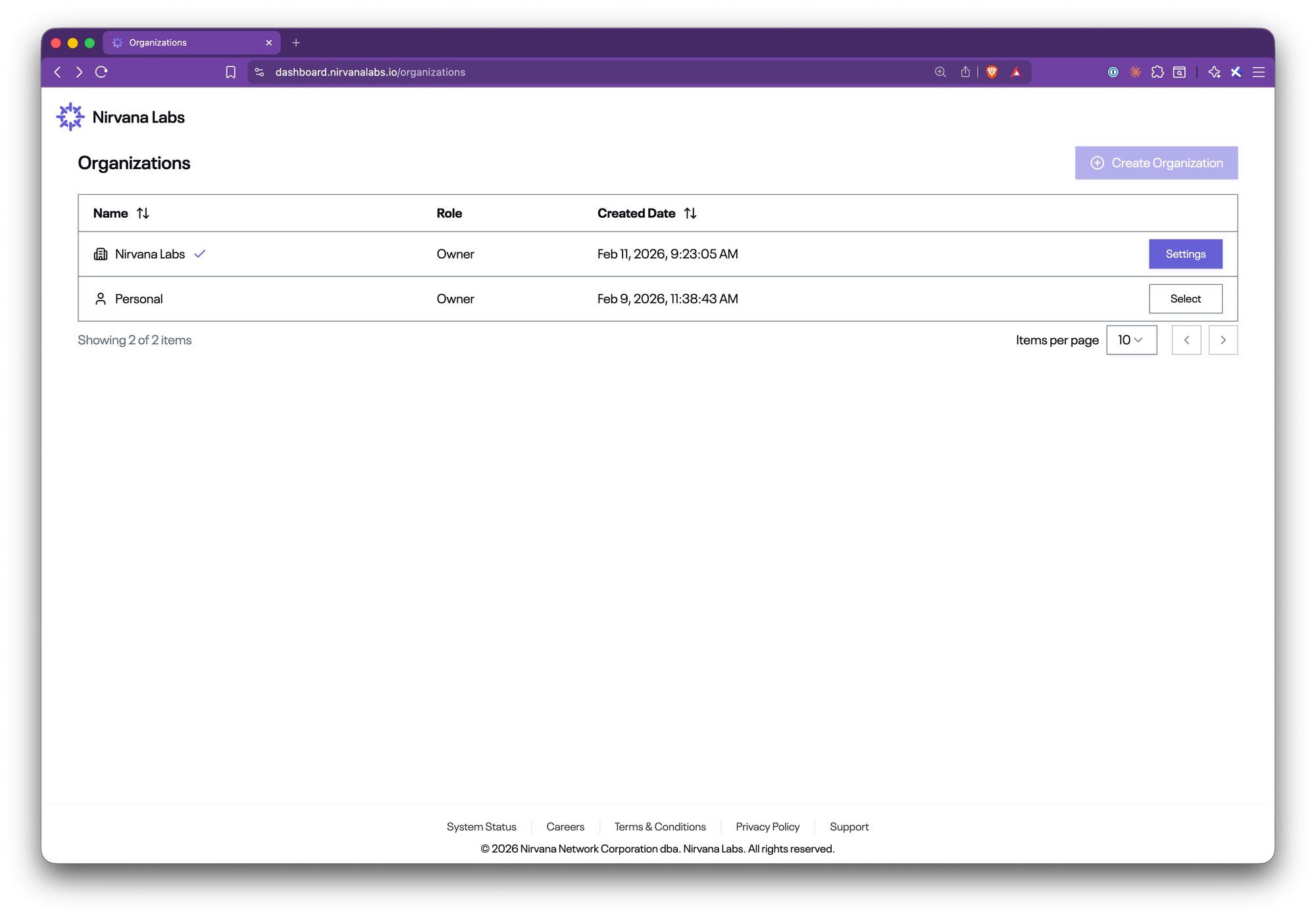
Each user starts with a Personal Organization and can add additional Company Organizations.
Nirvana Labs supports multi-organization configurations so you can also be invited to an unlimited number of organizations - useful for complex arrangements like working with contractors or consultants across teams.
Switching between organizations is instant: select from the sidebar dropdown, and the entire dashboard context updates.
Key details:
- Two roles: Owner and Member.
- Owners have full management access;
- Members get reduced permissions - can't change Organization settings, invite members, create/update/delete Projects or API Keys.
- Instant switching: Click any organization in the sidebar to switch context. Your session re-scopes to that org immediately.
- Simple creation: One field, your organization name, and you’re up and running.
Navigate to Organizations > ViewAll Organizations from the Profile button to get started.
2. Projects
Projects let you organize resources within an organization. Think of them as logical groupings: by team, by environment, or by workload.
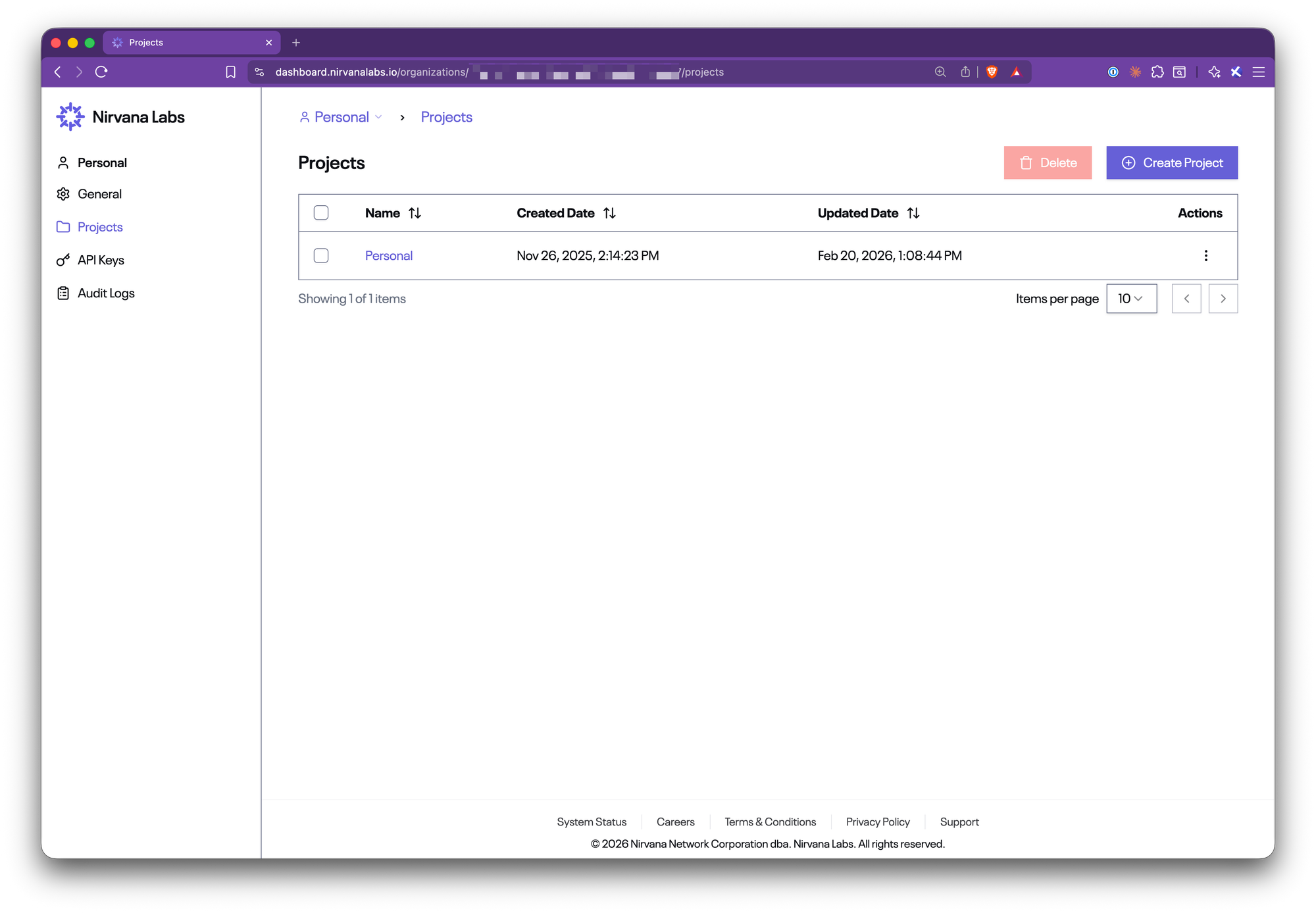
Key details:
- Scoped resources: Select a project in the sidebar, and the dashboard filters to show only that project’s resources.
- Tags: Add optional tags to projects for additional categorization.
Navigate to Organizations > [Your Org] > Projects to create your first project.
3. Members
Invite teammates into your organization and manage their access, all from a single page.
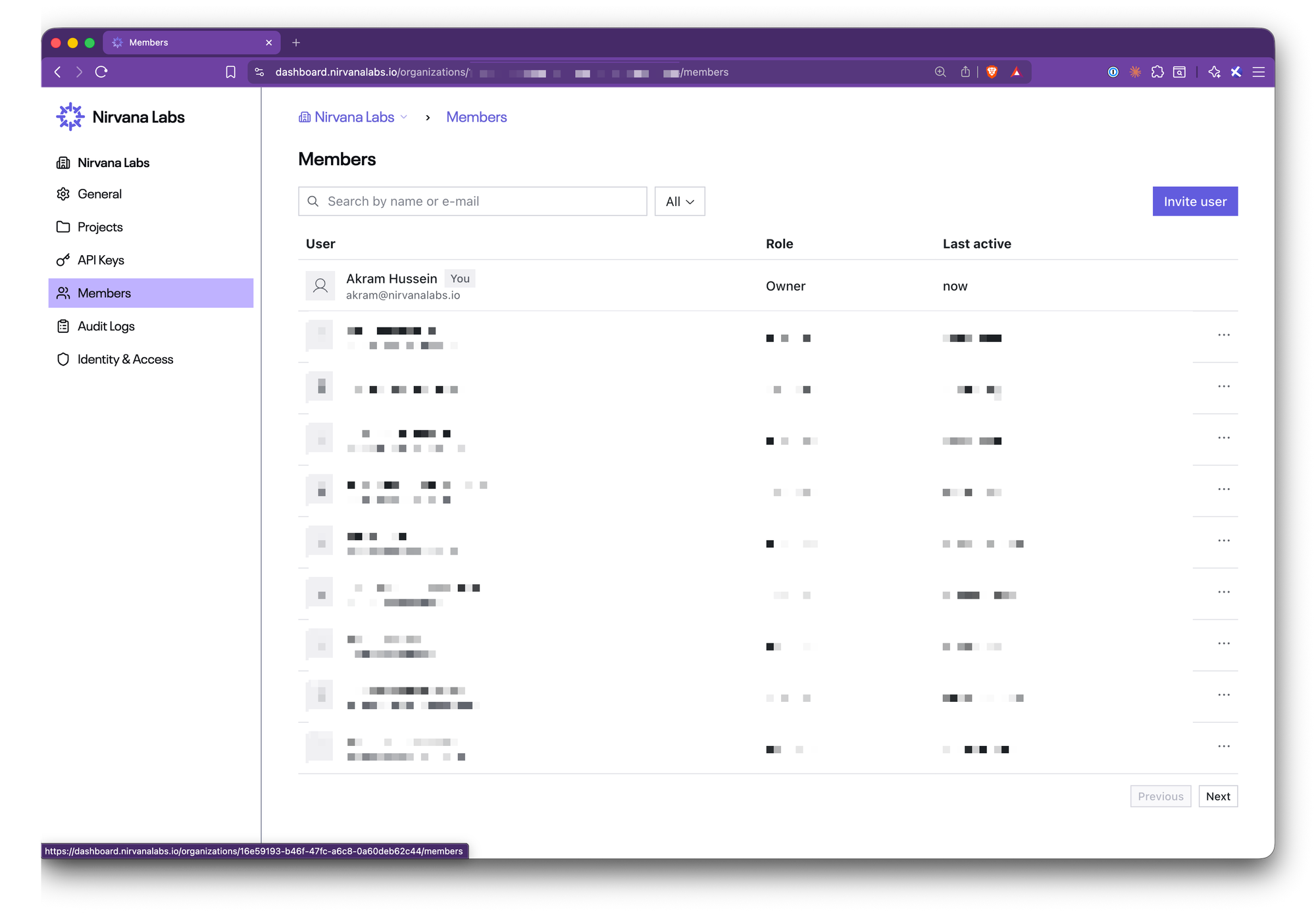
The Members page handles the full lifecycle: inviting users by email, viewing active members, changing roles, and removing access.
Key details:
- Invite by email: Send invitations directly from the dashboard.
- Role management: Assign Owner or Member roles to control what each person can do.
- Owner-only access: Only organization owners can view and manage the members page.
Navigate to Organizations > [Your Org] > Members to invite your team.
4. Audit Logs
Every API call made against your organization, whether from the dashboard or programmatically via an API key, is now logged and queryable.
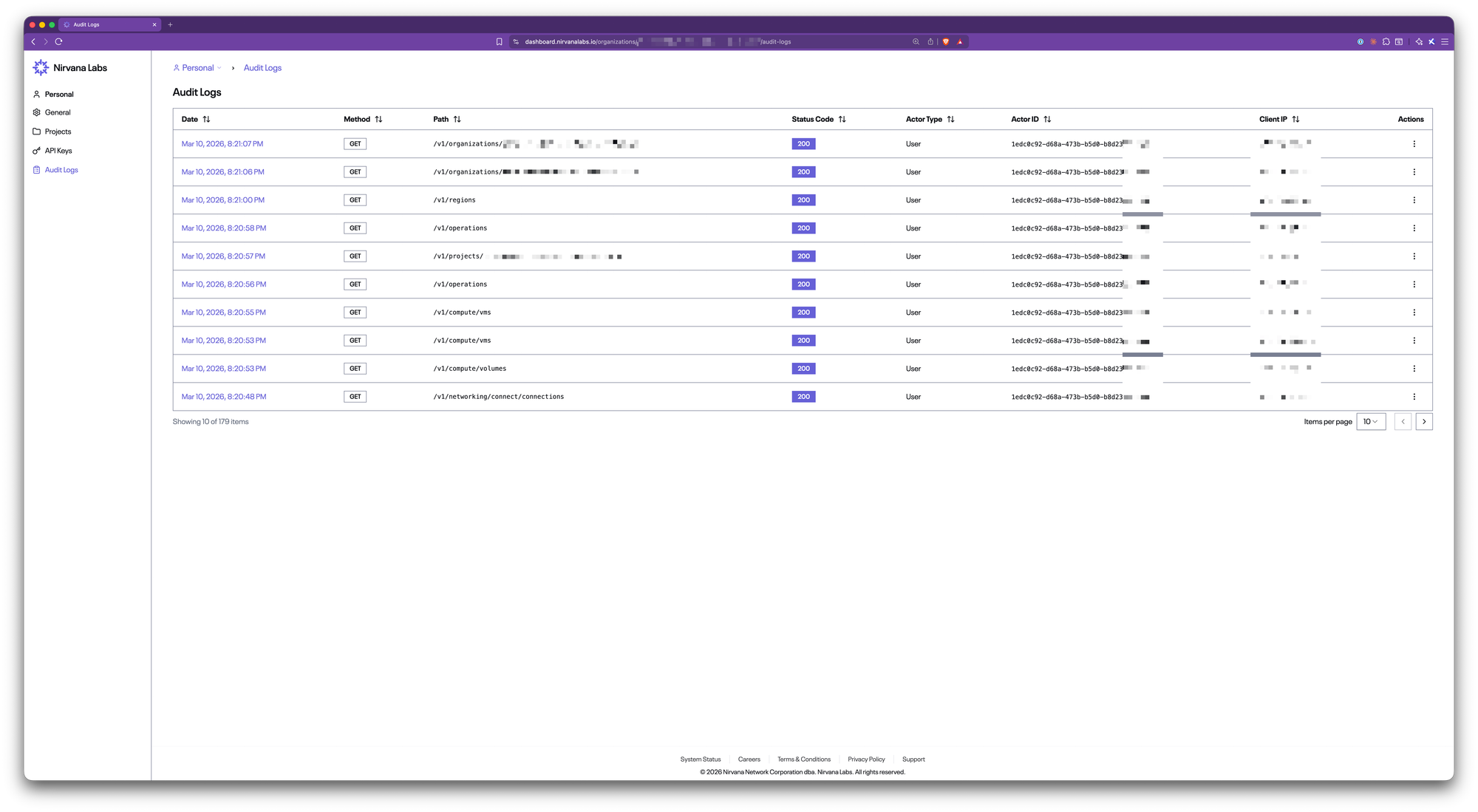
Each log entry captures:
- Timestamp: when the action occurred
- HTTP method and path: what was called
- Status code: whether it succeeded or failed
- Actor: who made the call (user or API key), with their ID
- Client IP and user agent: where the call originated
Key details:
- Full traceability: Know exactly who did what, and when.
- API key vs. user: The actor type field distinguishes between human actions and programmatic ones.
- Drill into details: Click any log entry to see the full request and actor breakdown.
Navigate to Organizations > [Your Org] > Audit Logs to review activity.
5. Organization-Scoped API Keys
API keys are now owned by organizations, not individual users. This means keys persist even if the person who created them leaves your team.
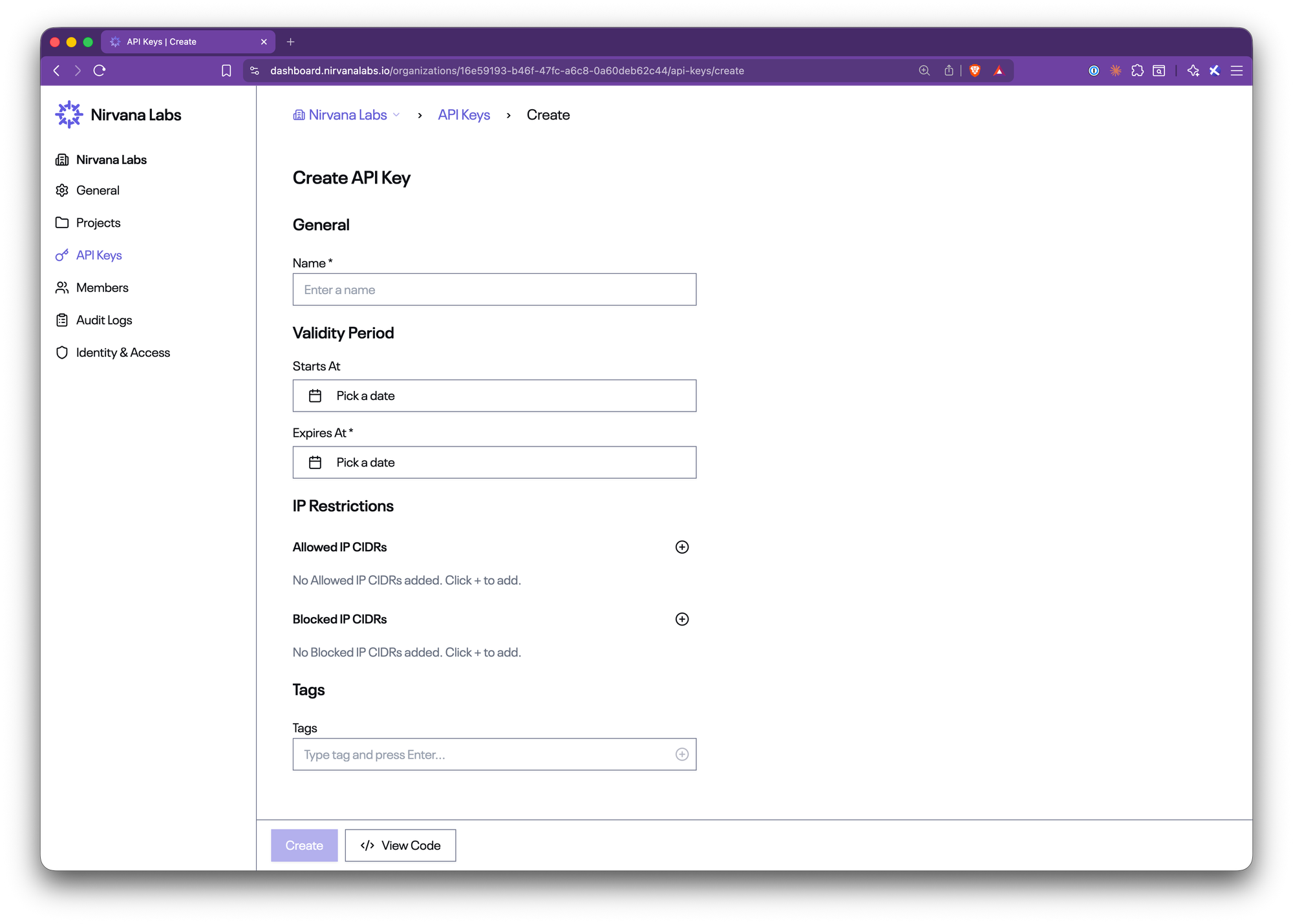
Key details:
- Validity windows: Set a start date and expiration date for each key. Quick-select options make it easy: 7 days, 30 days, 90 days, or 1 year.
- IP restrictions: Lock keys down to specific CIDR ranges with allowlists and blocklists. One click auto-detects your current IP.
- Tags: Organize and label keys for easy identification.
- Shown once: The secret is displayed exactly once at creation. Store it securely.
Navigate to Organizations > [Your Org] > API Keys to create and manage keys.
6. SSO (SAML) with Domain Verification
Teams with company organizations can configure SAML-based Single Sign-On, along with domain verification to enforce identity boundaries.
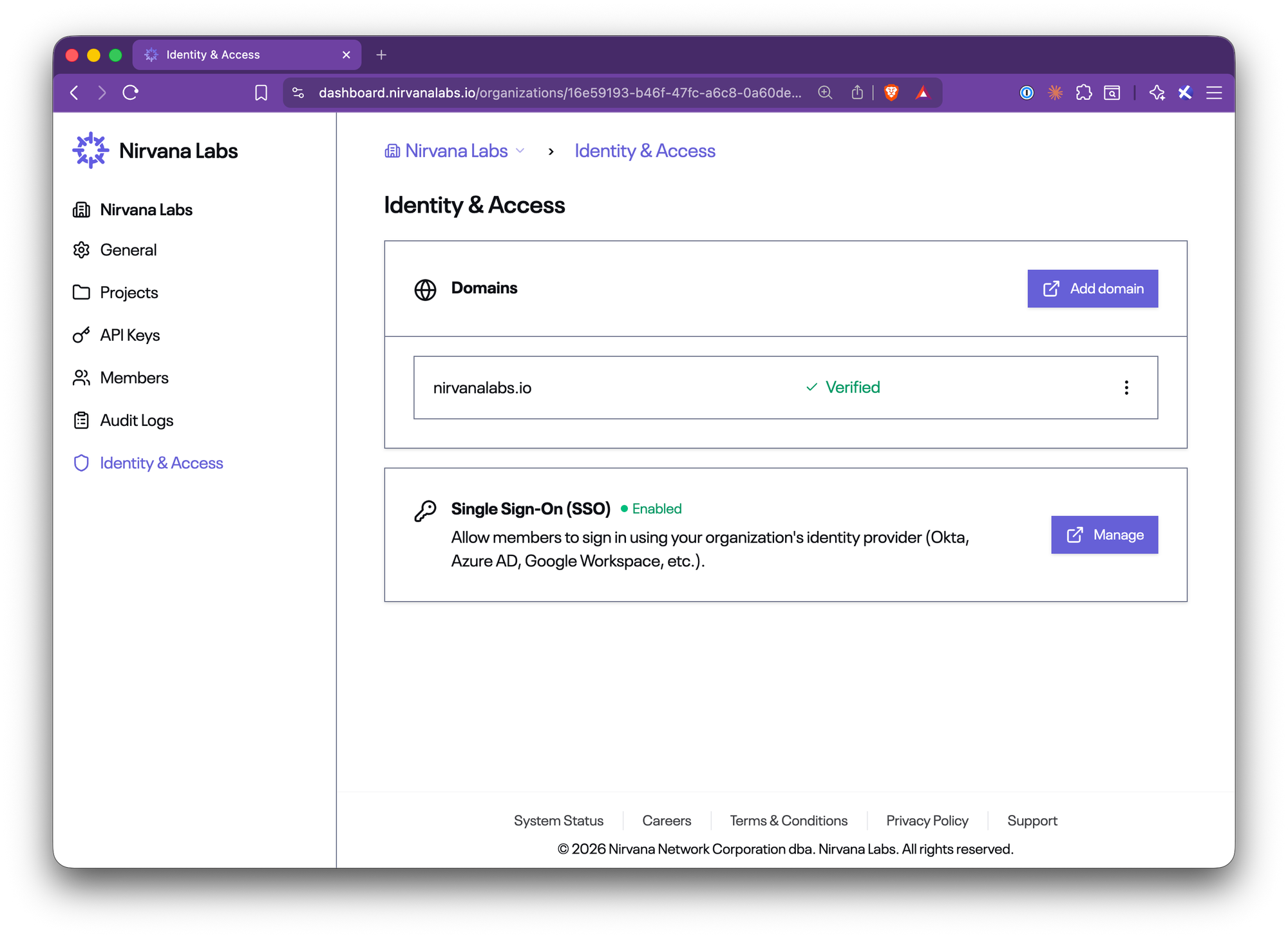
SSO Connections: Configure your SAML identity provider (Okta, Azure AD, Google Workspace, and more). Once connected, members authenticate through your IdP instead of email/password.
- Domain Verification: Verify ownership of your email domain. This ensures only users from your domain can join the organization.
Key details:
- Standard SAML 2.0: Works with any SAML-compliant identity provider.
- Domain lock-down: Verified domains enforce that only users with matching email addresses are part of your organization.
- Company organizations only: SAML SSO is available for company organizations, not personal organizations.
Navigate to Organizations > [Your Org] > Identity & Access and click Request to get started. We’ll invite you to an admin panel where you can configure everything:
7. Navigation Updates
The dashboard navigation has been restructured to support organizations as a first-class concept.
What’s changed:
- Organization switcher: The sidebar footer now shows your current organization. Click to switch between orgs instantly.
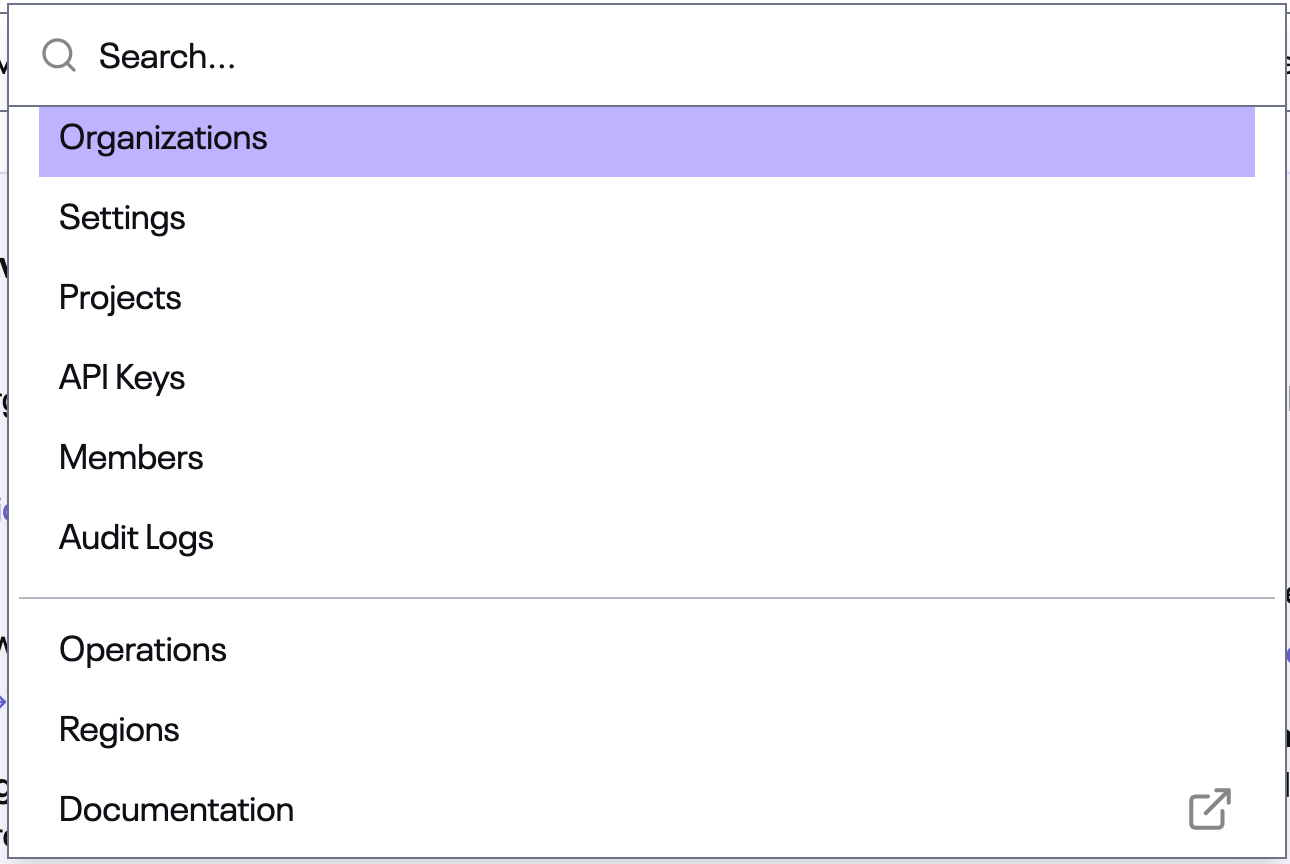
- Organization sidebar: When managing an organization, a dedicated sidebar appears with links to Settings, Projects, API Keys, Members, Audit Logs, and Identity & Access.
- Command menu (Cmd+K): The command palette now includes organization-level actions. Jump to your Organization Settings, Projects, API Keys, Members, or Audit Logs with a keystroke.
- Account pages: Profile and Security Settings are accessible from the sidebar under your user menu.
- Contextual breadcrumbs: Breadcrumbs update dynamically to reflect whether you’re in the main dashboard or managing an organization.
Coming Soon
We’re actively building the next wave of enterprise features:
- Log Streams (SIEM): Stream activity data directly into tools like Splunk, Datadog, and more for centralized monitoring and alerting.
- Directory Syncing (SCIM): Automatically provision and deprovision users from your identity provider.
- Invite-only Provisioning: Control exactly who can join your organization with invite-only access.
- More Roles: Additional roles beyond Owner and Member for finer-grained team structures.
- API Key Permissions: Scope API keys to specific actions and resources.
- User Permissions: Granular control over what each member can access and do within your organization.
About Nirvana Labs
Nirvana Labs is a high-performance storage cloud purpose built for blockchain, AI and databases i.e. the most demanding, real-time, stateful workloads. Accelerated Block Storage (ABS) offers 20K baseline IOPS included, no over provisioning. Nirvana Kubernetes Service (NKS) with Karpenter auto-scaling, high clock-speed compute and private networking. Backed by Jump Trading, Crucible, etc with 50+ customers live in production today.
Learn more at Nirvana Labs
Nirvana Cloud | Pricing | Blog | Docs | Changelog | LinkedIn |Twitter | Telegram| YouTube
Related Posts
Why Database p99 Latency Spikes During Backups and Checkpoints
Diagnose database latency during maintenance with a controlled mixed-load test. Separate storage contention, checkpoint work, CPU pressure and client queueing.
Kubernetes Volume Snapshots vs Backups: What Your Database Needs
Compare snapshots and database backups by consistency, failure domain, retention and restore results. Includes a practical Kubernetes recovery acceptance test.
How to Share Persistent State Across Multiple AI Agents
Separate workspaces, checkpoints and shared records so multiple agents can coordinate safely, recover unfinished work and avoid overwriting each other.
Powering AI, blockchain, and
databases
